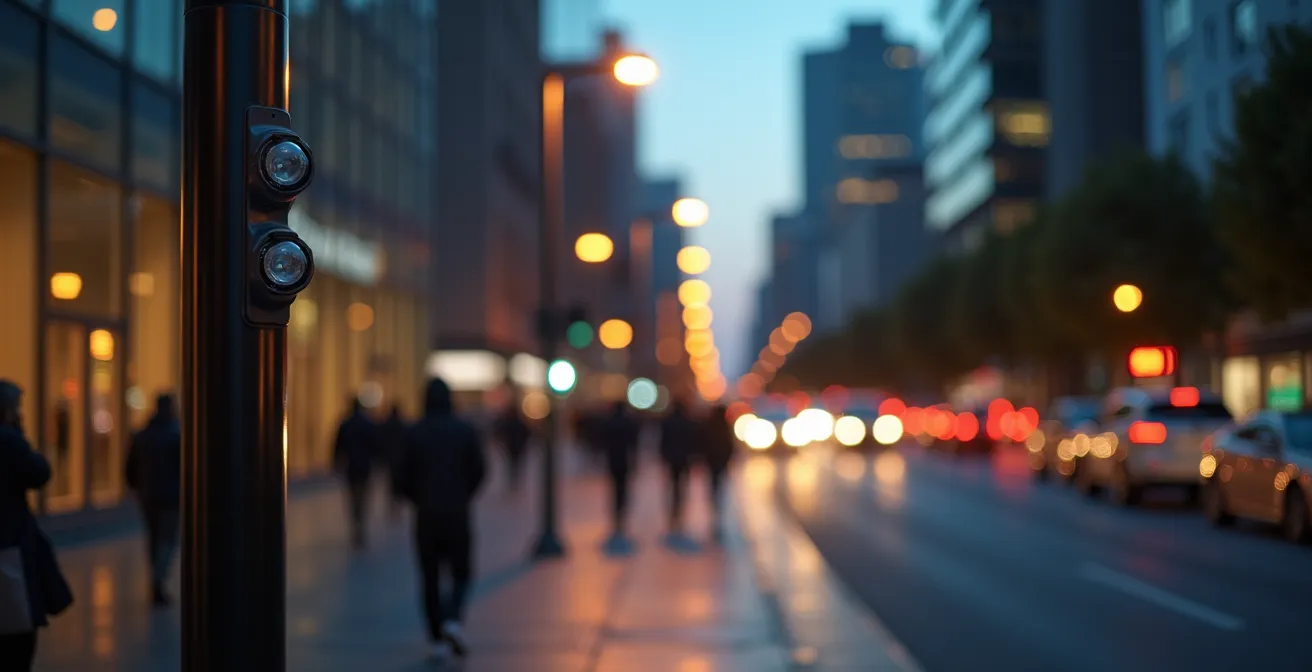
Contrary to official narratives, smart streetlights are not just for traffic control; they are building a permanent, identifiable ‘digital twin’ based on the unique way you walk.
- Advanced sensors capture your ‘kinematic signature’—gait, stride, and speed—making facial recognition obsolete.
- This movement data is often sold to third parties or shared with law enforcement through legal loopholes, creating a vast surveillance network.
Recommendation: Protecting your privacy requires actively encrypting your personal data and learning to obfuscate your physical and digital footprint.
That feeling of being watched on a city street is no longer paranoia. It’s a calculated reality. While municipalities promote smart streetlights as benign tools for improving traffic flow and public safety, this official narrative masks a more invasive truth. The conversation has moved beyond simple cameras; we are now dealing with a sophisticated network of sensors designed not just to see you, but to identify you in ways that are far more permanent than your face.
The common advice to “be aware of your surroundings” is tragically outdated. This new urban panopticon doesn’t just record events; it collects, analyzes, and catalogs behavior. It builds a profile of your movements, your habits, and your associations. This profile, this digital twin of your physical self, becomes a commodity. But if the real threat isn’t the camera you see, but the invisible data profile it builds, how can you possibly fight back?
This guide moves beyond the platitudes. We will dissect the hidden mechanics of this surveillance infrastructure, from the biometric signatures you broadcast with every step to the legal loopholes that allow your data to be bought and sold. More importantly, we will outline concrete, actionable strategies to resist—tools to reclaim a measure of privacy in an increasingly monitored world.
To understand the full scope of this issue, this article breaks down the technology, the policies, and the countermeasures. The following sections will guide you through the critical aspects of smart streetlight surveillance and empower you with the knowledge to protect yourself.
Summary: Unpacking the Data Trail of Smart City Surveillance
- Why Do Cameras No Longer Need Your Face to Identify You?
- How to Submit a FOIA Request for Local Smart City Data Collection?
- Audio Sensors vs. Traffic Counters: Which Threatens Privacy More?
- The Third-Party Loophole: Who Buys Your Movement Data From the City?
- How to Map “Low-Surveillance” Walking Routes in Downtown Areas?
- How to Confuse Tracking Algorithms to Protect Your Digital Profile?
- Google Drive Encryption vs. Local AES-256: Which Can the Government Access?
- How to Encrypt a Hard Drive of Family Documents for Non-Techies?
Why Do Cameras No Longer Need Your Face to Identify You?
The age of evading surveillance by wearing a mask or a hoodie is over. The latest generation of smart city technology has pivoted from what you look like to how you move. This is the world of gait recognition, a biometric technology that analyzes the unique patterns of your walk. It’s a far more subtle and persistent form of identification because, unlike your face, your gait is something you broadcast constantly and unconsciously.
This technology creates what is known as a kinematic signature. According to research into multi-modal biometrics, gait recognition analyzes around 24 individual parameters to form a unique model of your specific walking pattern. Computer vision algorithms don’t need a clear shot of your face; they simply detect a human silhouette, analyze its joint angles, stride acceleration, and micro-movements, and compare it against a database of known signatures. This method requires no direct contact and can identify people from a significant distance, even in low-light conditions.
The sinister efficiency of this technology lies in its passive nature. You don’t need to look at a camera or place a finger on a scanner. By simply walking down the street, you are providing a constant stream of biometric data that can be used to track your movements across a city, linking your presence at a protest, a clinic, or a private meeting. This is the foundation of the new surveillance state: not just watching, but building a permanent, identifiable record of your physical life.
How to Submit a FOIA Request for Local Smart City Data Collection?
Transparency is the enemy of unaccountable surveillance. While cities may not advertise the full capabilities of their smart streetlight networks, public records laws like the Freedom of Information Act (FOIA) provide a powerful tool for citizens to demand answers. Filing a request is a critical act of civic oversight, forcing agencies to disclose what data they collect, how they use it, and who they share it with. It is not a simple process, but it is a necessary one.

A successful request requires precision. Vague inquiries for “all data” are easily denied. Instead, you must ask for specific documents that expose the architecture of the surveillance program. This includes procurement contracts with technology vendors, internal surveillance use policies, and any data-sharing agreements with other government agencies or private companies. Demanding these documents can reveal the true purpose and scope of a city’s smart technology, often contradicting the sanitized public relations narrative.
The process can be adversarial. Agencies may attempt to deny requests or provide heavily redacted documents. Persistence is key. Below is a checklist outlining a strategic approach to prying this crucial information from your local government.
Action Plan: A FOIA Strategy for Smart Streetlight Data
- Request specific documents including vendor procurement contracts, surveillance use policies, and data-sharing agreements with third parties.
- Demand to see the logs that record when Smart Streetlights videos are accessed, including the date, time, data record, and the staff member involved.
- Ask for algorithmic impact assessments and the complete hardware specification sheets for all deployed surveillance equipment.
- Submit requests for the official video release policies, including any processes related to the California Public Records Act and discovery procedures mentioned in the Evidence Code.
- If your request is denied, immediately file a follow-up demanding a “Vaughn Index,” which legally compels the agency to itemize every single withheld document and provide a specific legal justification for each redaction.
Audio Sensors vs. Traffic Counters: Which Threatens Privacy More?
The visible camera on a streetlight is often a decoy for more invasive sensors hidden within the same housing. Smart city infrastructure is a multi-layered system, and understanding the different technologies at play is critical to assessing the true threat. Two of the most common yet misunderstood components are audio sensors and advanced traffic counters. While both are presented as tools for urban management, their potential for surveillance differs dramatically.
Audio sensors, often equipped with 360-degree microphones, are a direct threat to free speech and association. They are capable of “keyword spotting,” listening for specific words or phrases, and can even be used for emotional sentiment analysis of a crowd. Ostensibly deployed to detect gunshots or car crashes, their ability to monitor conversations and protest chants is a chilling feature. Traffic counters, on the other hand, sound more benign. However, modern versions go far beyond simply counting cars. They create a unique “vehicle signature” or fingerprint based on a car’s magnetic profile and dimensions, allowing for specific vehicles to be tracked city-wide without ever capturing a license plate.
As former San Diego official Erik Caldwell stated in what can only be described as Orwellian doublespeak, “This is not a surveillance system—nobody is watching it 24 hours a day.” This statement was presented in an analysis by Failed Architecture, which rightly pointed out that the lack of human supervision only highlights the system’s enhanced, automated capacity for constant monitoring.
The greatest danger emerges when these data streams are fused. The table below breaks down the distinct capabilities and privacy risks, revealing how these seemingly separate technologies can be combined to build an alarmingly detailed profile of public life.
| Feature | Audio Sensors | Traffic Counters |
|---|---|---|
| Detection Range | 360-degree ambient sound capture | Vehicle-specific detection zones |
| Data Type | Sound, air, light, temperature via infrared sensors and radars | Magnetic profiles, vehicle dimensions |
| Tracking Method | Keyword spotting, emotional sentiment analysis | ‘Vehicle signature’ based on magnetic profile |
| Privacy Risk | Can detect conversations, protest chants | Creates unique vehicle fingerprints for city-wide tracking |
| Fusion Capability | Act as 24/7 signal hubs monitoring surroundings in data streams | Links with audio for multi-layered profiles |
The Third-Party Loophole: Who Buys Your Movement Data From the City?
The most significant threat posed by smart city surveillance often has nothing to do with direct government monitoring. It’s the “third-party loophole”: the process by which data collected for civic purposes is sold, shared, or handed over to private companies and other law enforcement agencies. Your city may claim the data is for optimizing traffic, but once it’s in the hands of a data broker or a federal fusion center, all bets are off.

This is not a theoretical risk. In a stark example of this loophole in action, a report from Tech Policy Press revealed that in San Diego, police used surveillance cameras to track Black Lives Matter protesters. The data was not kept in-house; it was shared with neighboring cities and fusion centers, creating a regional web of surveillance that far exceeded the program’s stated purpose. This incident, fueled by data from just a fraction of the 3,200 Smart Streetlight sensors deployed before the program was suspended, illustrates how easily civic infrastructure can be weaponized against citizens exercising their constitutional rights.
Data brokers, law enforcement, and even private security firms are eager customers for this granular data on public movement. It can be used for marketing, social credit scoring, or identifying patterns of association. The city that collected the data can claim it’s not performing the surveillance itself, while simultaneously profiting from or enabling a secondary market where your privacy is the product. This creates a dangerous lack of accountability, where the collectors and the users of the data can both deflect responsibility.
How to Map “Low-Surveillance” Walking Routes in Downtown Areas?
In a city blanketed with sensors, reclaiming privacy requires a proactive, almost tactical, approach to moving through urban space. While a completely “invisible” journey is impossible, it is feasible to identify and map routes of lower surveillance. This involves thinking like a surveillance planner in reverse—identifying the gaps, the blind spots, and the environmental features that disrupt or obscure data collection.
The first step is community-driven intelligence. Platforms like OpenStreetMap allow users to collaboratively map the locations of surveillance devices. Contributing to and consulting these maps is a form of collective defense. Beyond known cameras, you can learn to spot potential surveillance points. As cities like Portland adopt 6,100 new LED streetlights that could legally have cameras installed at any time, any streetlight already wired and extending to camera height should be considered a potential threat.
Environmental and architectural features also create opportunities for privacy. “Urban canyons” between tall buildings can block GPS signals and obscure the view of pole-mounted cameras. Areas with dense tree canopies, underground concourses, or even Wi-Fi dead zones can serve as temporary shields against different forms of tracking. By piecing these elements together, you can create a mental or physical map of “safer” corridors through a downtown area.
- Use OpenStreetMap to contribute to and consult community-audited maps of surveillance device locations.
- Identify streetlights already wired and extending to camera height as potential, unlisted surveillance points.
- Look for GPS “urban canyons” between tall buildings that block or degrade satellite tracking signals.
- Map public Wi-Fi dead zones and areas with consistently poor cellular coverage to disrupt location tracking.
- Identify and use underground concourses, arcades, and public passages that often have limited camera coverage.
- Utilize environmental features like dense tree canopies that can partially obscure views from aerial and pole-mounted cameras.
- Pay attention to the physical gaps between overlapping sensor ranges, especially at mid-block locations away from major intersections.
How to Confuse Tracking Algorithms to Protect Your Digital Profile?
If your every movement is being fed into an algorithm to build a digital twin, a logical act of self-defense is to feed that algorithm bad data. This practice, known as algorithmic obfuscation or “data poisoning,” aims to confuse tracking systems by generating meaningless noise, burying your real patterns in a sea of irrelevant information. However, this is more challenging than it sounds, especially against sophisticated systems.
As research on biometric evasion highlights, while you can cover your face or wear gloves to defeat some systems, masking your gait is exceptionally difficult. These systems analyze deeply ingrained patterns of movement that are hard to alter consciously. With some gait recognition systems boasting an error rate as low as 0.7%, simply “walking funny” is unlikely to be a reliable long-term strategy. The key is to introduce noise across multiple data streams, not just one.
Effective obfuscation requires a multi-pronged approach that targets the different ways algorithms profile you. It involves a combination of low-tech physical changes and higher-tech digital interference. The goal is not to become invisible—that’s impossible. The goal is to become an unreliable data point, a noisy and confusing profile that is less valuable to those who want to track and predict your behavior. The following techniques offer a starting point for this digital rebellion.
- Wear clothing with “adversarial patterns” specifically designed to confuse object detection algorithms.
- Generate fake location check-ins on social media to bury your real movement patterns in meaningless data.
- Use devices or apps that spoof your phone’s GPS signals or create random, spurious Bluetooth and Wi-Fi signals to confuse location trackers.
- Consciously vary your walking speed and gait patterns, especially when passing through known high-surveillance zones.
- Employ “data poisoning” tactics by using browser extensions that generate high-volume, randomized browsing activity, muddying your interest profile.
- Be aware that even with these efforts, advanced gait recognition has only a 0.7% error rate, making it incredibly difficult to fool consistently.
Key Takeaways
- Faceless Identification: Modern surveillance identifies you by your unique ‘kinematic signature’—the way you walk—not just your face.
- The Data Market: Your movement data is a commodity, often sold or shared with third parties and law enforcement through legal loopholes.
- Proactive Defense: Resisting surveillance requires a combination of demanding transparency (FOIA), mapping low-surveillance routes, and actively confusing tracking algorithms.
Google Drive Encryption vs. Local AES-256: Which Can the Government Access?
The battle for privacy extends from the streets to your personal files. Protecting your data from the ever-expanding reach of surveillance means understanding who holds the keys to your digital life. While cloud services like Google Drive offer convenience and use strong encryption, there is a fundamental and critical difference between their security model and local encryption that you control directly. The distinction comes down to one question: who can be compelled to unlock your data?
Cloud providers operate under laws like the CLOUD Act, which can force a U.S.-based company to turn over user data to law enforcement, regardless of where that data is stored globally. Even if your files are encrypted, the provider often holds the decryption keys. They are the weak link. The San Diego Police Department’s own policy states that all downloaded videos shall be accessible only through a login/password-protected system, but this internal procedural safeguard is meaningless when a federal warrant can compel the cloud host itself to bypass it.
When you use a tool to encrypt a file on your own hard drive with AES-256 (the gold standard), you are the sole holder of the key. For the government to access that data, they would need to physically seize your device and either force you to reveal the password or attempt to break the encryption, which is currently computationally infeasible. The following table clarifies this crucial difference in access and control.
| Aspect | Google Drive Encryption | Local AES-256 |
|---|---|---|
| Key Control | Google holds encryption keys | User is the sole key holder |
| Government Access | Can be compelled via the CLOUD Act | Requires physical device access and the key |
| Metadata Visibility | Provider sees filenames, access dates, sharing history | All metadata is encrypted locally |
| Encryption Standard | Cloud with end-to-end AES-256 encryption | User-controlled AES-256 |
| Best For | Casual files, collaboration, convenience | Sensitive documents, maximum privacy, long-term archives |
How to Encrypt a Hard Drive of Family Documents for Non-Techies?
In an era of pervasive data collection, creating a private “data fortress” for your most sensitive information is not a paranoid act; it’s basic digital hygiene. Encrypting a hard drive containing family photos, financial records, and personal documents ensures that even if the device is lost, stolen, or seized, its contents remain a locked secret. Fortunately, you don’t need to be a cybersecurity expert to do this. Modern operating systems have powerful, user-friendly encryption tools built right in.
For Windows users, this tool is called BitLocker. For macOS users, it’s FileVault. Both use the robust AES-256 encryption standard and are designed to be set up in a few clicks. The most critical part of the process is not the technical setup but the handling of the password and recovery key. A strong password is your first line of defense, but the recovery key is the ultimate failsafe. Losing it means losing your data forever. It must be stored securely in the physical world, completely separate from the computer it protects.
Building this digital fortress is about taking control. It’s a definitive statement that some parts of your life are not for sale and not subject to warrantless inspection. The following is a straightforward plan for anyone, regardless of technical skill, to secure their personal files.
Your Plan: Encrypting Personal Files with Native Tools
- Enable BitLocker (on Windows Pro/Enterprise) or FileVault (on any modern Mac) through your system’s security settings.
- Choose a strong passphrase, ideally by combining 4 to 6 random, unrelated words (e.g., “correct-horse-battery-staple”).
- Write down the generated recovery key on a piece of paper. Store this paper in a secure physical location, such as a safe or a locked file cabinet, not on your computer or in a cloud account.
- Test the encryption by restarting your computer. You should be prompted to enter your new passphrase to access your data.
- For more advanced protection on any OS, consider using a free tool like VeraCrypt to create hidden, encrypted volumes within your hard drive.
- Never store your encryption passwords on sticky notes, in plain text files on the same computer, or in a password manager synced to the cloud.
- Establish a routine for creating regular, encrypted backups to an external drive, using the same encryption tools to protect the backup copy.
Begin today by securing your most sensitive information. Encrypting your personal documents is the first critical step in reclaiming your digital sovereignty and building a defense against an intrusive world.
Frequently Asked Questions About Data Encryption and Privacy
What if I forget my encryption password?
Without the password or the recovery key, encrypted data is permanently inaccessible and unrecoverable. This is by design. It is precisely why securing a physical, offline copy of your recovery key is the most critical step in the entire process.
Does encryption slow down my computer?
Modern computers have processors with built-in hardware support for AES encryption. As a result, the performance impact of enabling native tools like BitLocker or FileVault is minimal, typically resulting in a slowdown of less than 3-5%, which is imperceptible in day-to-day use.
Can encryption protect against all threats?
While encryption is a crucial and non-negotiable layer of security for data at rest, it is not a silver bullet. As one analysis notes, smart cities face broad data privacy and cybersecurity risks that require multiple, overlapping layers of protection, including securing data in transit and protecting against phishing or malware that could capture your password.